
A few basic git workflows, enough to get by
Below is a round-up of the most basic commands, the ones anyone who has been at this a while has used already. As far as I can tell this much covers just about the whole git workflow of a project.
- git diff: Show the differences in files that have not been moved into the staging area.
- git commit -a -m “commit message”: Commit every tracked change with a message.
- git status: Show the state of the working directory.
- git add file_path: Add a file to the staging area.
- git checkout -b branch_name: Create a new branch and switch to it.
- git checkout branch_name: Switch to an existing branch.
- git commit –amend: Amend the last commit.
- git push origin branch_name: Push a branch to the remote repository.
- git pull: Download and merge changes from the remote repository.
- git rebase -i: Do an interactive rebase, rewriting commit history.
- git clone: Make a local copy of a remote repository.
- git merge: Merge branches together.
- git log –stat: Show commit history along with change statistics.
- git stash: Set changes aside temporarily for later.
- git stash pop: Apply the stashed changes and drop them.
- git show commit_id: Show the details of one specific commit.
- git reset HEAD~1: Undo the last commit, keeping the local changes.
- git format-patch -1 commit_id: Create a patch file for one specific commit.
- git apply patch_file_name: Apply the changes from a patch file.
- git branch -D branch_name: Force-delete a branch.
- git reset: Undo a commit by moving the branch reference.
- git revert: Undo a commit by creating a new commit.
- git cherry-pick commit_id: Apply the changes from one specific commit.
- git branch: List branches.
- git reset –hard: Reset everything to the state of an earlier commit, discarding all uncommitted changes.
Git workflow (found elsewhere)
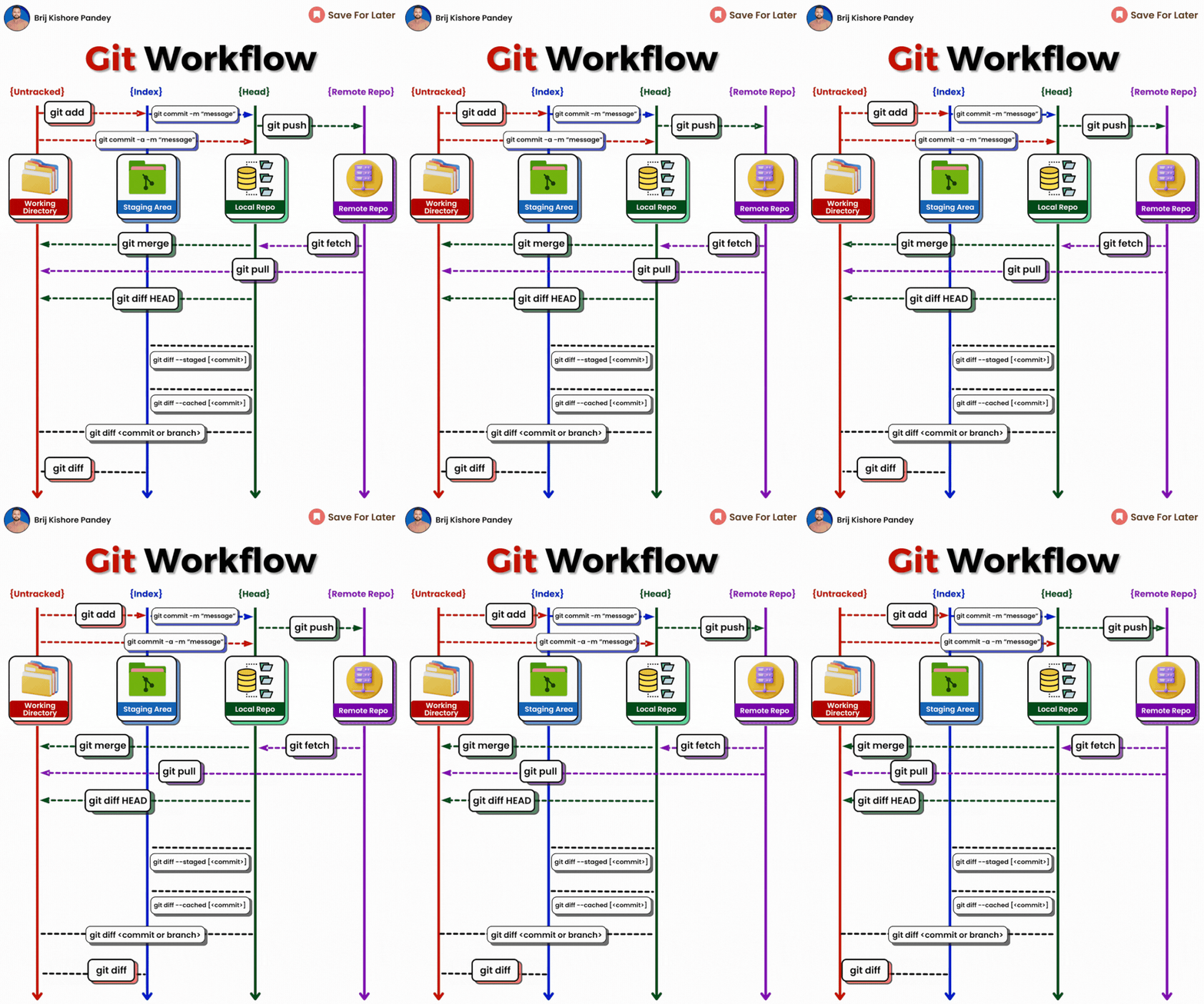
A few basic git workflows, enough to get by
/en/lap-trinh/Mot-so-git-workflow-co-ban-du-xai/
Comments
Comment plugin failed to load
Loading comment plugin